How to Convert Textbooks to Digital Content in 4 Easy Steps (2026)
Prompt & help
These links share this article’s public URL with your chosen service. If the prompt doesn’t prefill, copy and paste it there.
In this article
How to Convert Textbooks to Digital Content in Easy Steps - TL;DR
The shift from print to digital has transformed textbook publishing. Publishers can now easily create accessible, engaging, and interactive books for students and readers. Digital conversion reduces costs, saves space, and enhances learning experiences across devices. With the right methods, textbooks can be efficiently digitized while maintaining content quality. Whether through scanning, professional services, or adding interactive features, publishers can reach wider audiences and provide modern learning solutions.
Here’s a snapshot of the process:
| Step | Description | Key Benefits |
|---|---|---|
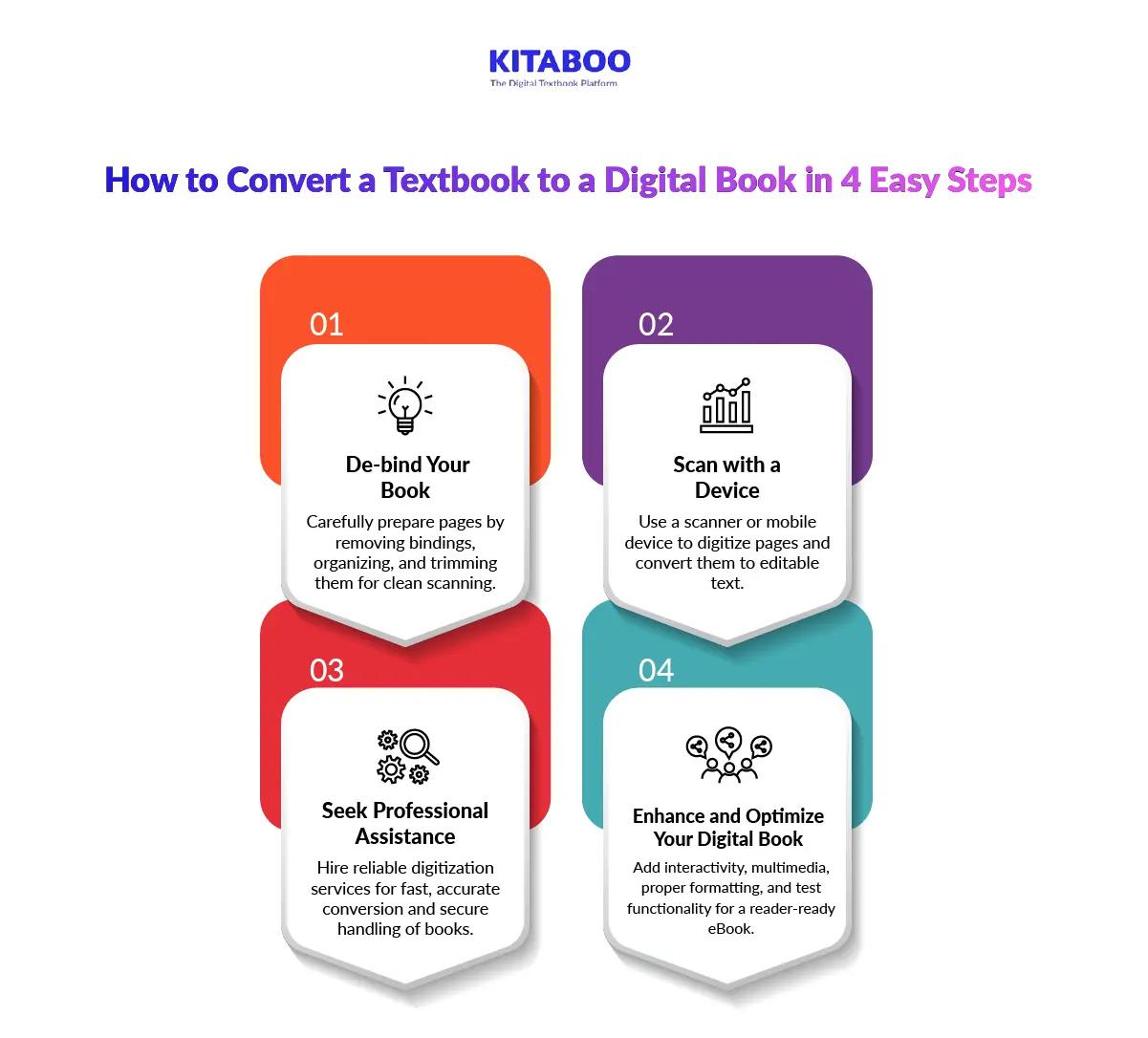
| De-bind Your Book | Carefully remove bindings and organize pages for scanning. | Ensures clean, high-quality scans and reduces errors. |
| Scan with a Device | Use scanners or mobile devices to capture pages. | Fast digitization while preserving the book’s condition. |
| Seek Professional Assistance | Hire expert services for large volumes. | Provides accuracy, speed, and secure handling. |
| Enhance and Optimize | Add multimedia, interactivity, and optimize formats. | Improves engagement, usability, and accessibility. |
Remember the times you carried a backpack full of heavy textbooks every day? Those days are slowly disappearing. Education is evolving, and so are the tools we use to learn. Imagine accessing every page instantly and searching content in seconds with ease. The shift from print to digital is not just a trend. It is a revolution changing how knowledge is shared, consumed, and experienced. Are you ready to explore this transformation and see how textbooks are stepping into the digital age?
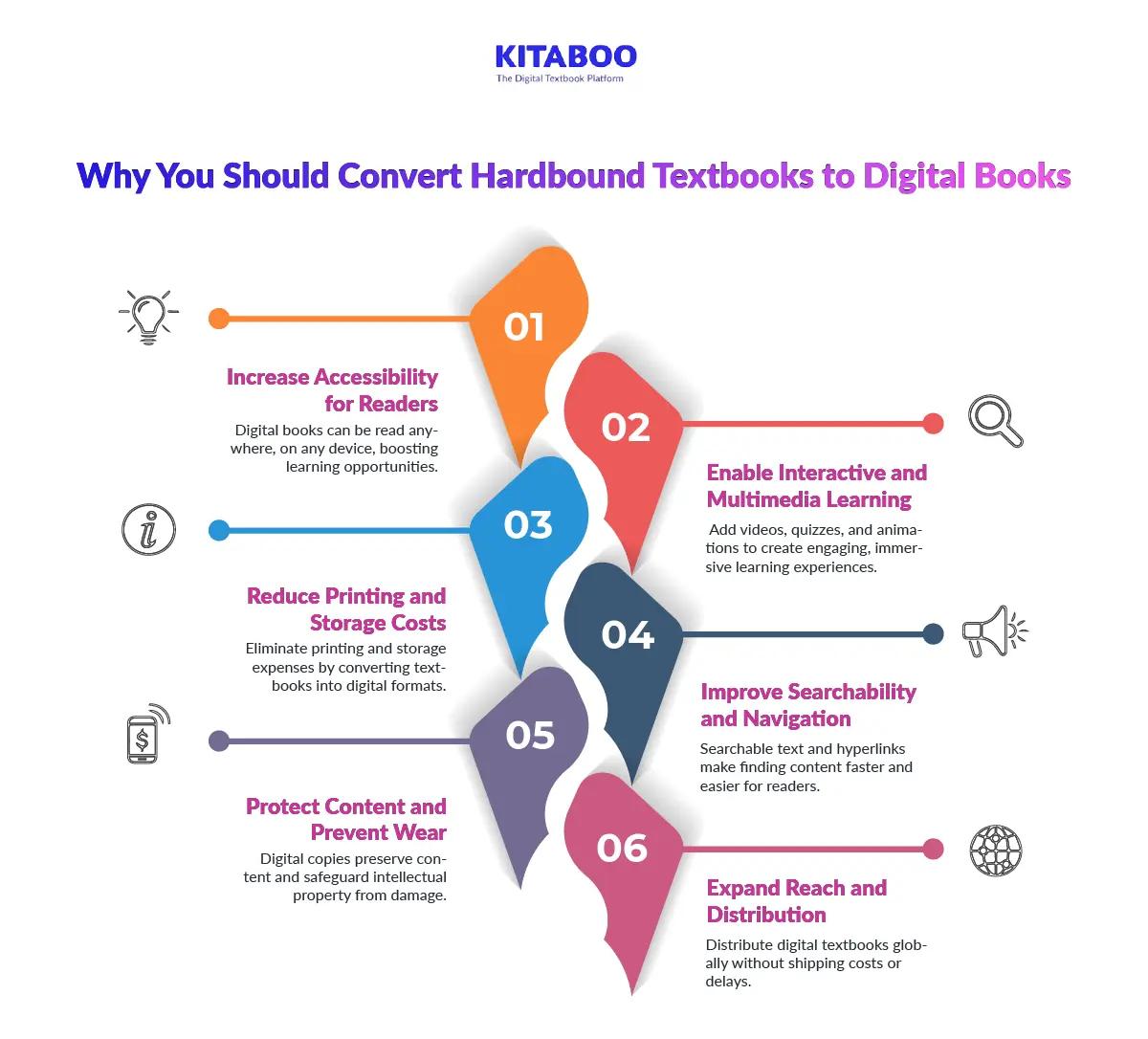
6 Reasons Why You Should Convert Hardbound Textbooks to Digital Books
The world of publishing is moving rapidly toward digital formats. Hardbound textbooks take up space, cost more, and limit accessibility. By choosing to convert a textbook to a digital book, publishers can reach more readers efficiently. Converting textbooks ensures longevity, improves learning experiences, and maximizes the value of your content.
1. Increase Accessibility for Readers
Digital books can be accessed anywhere, anytime, on multiple devices. Students and educators can read on tablets, laptops, or smartphones. 81% of faculty members believe digital textbooks offer more flexibility to students. This highlights the growing acceptance of digital formats in education. When you convert hardbound to digital, it allows learners to access content instantly, boosting engagement and learning outcomes.
2. Reduce Printing and Storage Costs
One of the major benefits of using digital textbooks is the cost efficiency. Physical books require high printing costs and large storage spaces. Digital books eliminate these expenses and reduce financial burdens. Publishers can allocate savings to improve content quality or marketing efforts. This makes it smart to convert a textbook to a digital book for efficiency and cost-effectiveness.
3. Protect Content and Prevent Wear
Hardbound books degrade over time from frequent use. Digital copies preserve content without physical damage or fading. Security features like Digital Rights Management protect intellectual property from unauthorized use. Choosing to convert hardbound to digital ensures long-term availability and maintains the textbook’s value.
4. Enable Interactive and Multimedia Learning
Digital books allow adding videos, animations, quizzes, and hyperlinks. This creates an engaging and immersive learning experience. Students retain more information through interactive content compared to static printed pages. Enhanced features make your textbooks more engaging and effective.
5. Improve Searchability and Navigation
Readers can quickly search for topics, keywords, or chapters in digital books. Hyperlinks and a table of contents simplify navigation across large textbooks. This saves time and improves the overall user experience. Publishers who convert a textbook to a digital book provide a much faster learning tool.
6. Expand Reach and Distribution
Digital textbooks can be distributed globally without shipping or handling costs. They can be shared instantly with institutions or sold through online platforms. Wider distribution increases readership and provides greater visibility for authors and publishers. Converting hardbound to digital enables instant global reach and broader accessibility.
How to Convert a Textbook to a Digital Book in 4 Easy Steps
The digital era has transformed how books are created and consumed. Publishers no longer need to rely solely on print. Converting textbooks into digital formats saves space, reduces costs, and increases accessibility. With the right process, you can convert hardbound to digital efficiently while maintaining quality. Follow these four simple steps to transform your textbook into a professional digital book.
Step 1: De-bind Your Book
De-binding a book is one of the most effective ways to convert hardbound to digital. It ensures clean, high-quality results and makes subsequent scanning easier. Proper preparation of each page is crucial to maintain accuracy and reduce errors.
- Carefully Remove the Binding
Gently remove the binding without tearing pages. Preserving each page ensures clean scans. Proper de-binding is essential to convert a textbook to a digital book successfully.
- Separate and Organize Pages
Isolate each sheet and keep them in order. This prevents missing or misplaced pages. Maintaining sequence ensures the digital book mirrors the original content accurately.
- Trim Page Edges
Use a paper cutter to trim margins if needed. Uniform pages scan cleanly without shadows. Proper trimming improves the overall quality of your digital book.
- Prepare Pages for Scanning
Place pages neatly in a document feeder or stack them carefully. Proper alignment prevents jams and skewed scans. This step ensures smooth and consistent scanning in Step 2.
- Review Pages for Damage
Check each page for tears, folds, or markings. Repair or straighten them to avoid scanning errors. Clean pages improve the quality of the final digital book.
- Batch Books for Efficiency
Organize multiple books into batches if needed. Batching saves time and maintains consistency across large digitization projects. This is helpful when you convert a textbook to a digital book in volume.
Step 2: Scan with a Device
If de-binding is not suitable, scanning with a device offers a quick alternative. You can use a professional scanner or even a mobile phone. This method helps publishers efficiently convert hardbound to digital without damaging books.
- Place the Book Flat for Scanning
Keep the book flat to capture every page clearly. Proper positioning reduces shadows or distortions. This ensures accurate results when you convert a textbook to a digital book.
- Scan or Photograph Each Page
Scan or photograph each page carefully to maintain clarity and legibility. High-quality images reduce errors during text extraction.
- Convert Scans to Editable Text
Use OCR software like MS OneNote to transform scanned images into editable text. This step ensures your content is searchable and easy to edit.
- Proofread and Correct Errors
Check the text for misread words, formatting issues, or missing content. Correcting errors early maintains professional quality.
- Add Metadata and Enhance Content
Include author name, description, tags, and relevant images or charts. This improves searchability and makes the final digital book engaging for readers.
- Save and Combine for Interactive eBooks
Save the text in .DOC or .DOCX format and optionally merge with images. Combining text and visuals can help you create interactive, reader-friendly digital textbooks.
Step 3: Seek Professional Assistance
Professional services offer an efficient way to convert hardbound to digital for large volumes. They provide speed, accuracy, and maintain the book’s quality. This is ideal for publishers who need fast, reliable digitization without errors.
- Choose a Reliable Digitization Provider
Select a service experienced in book scanning and digital publishing. Verified providers ensure high-quality results and help efficiently convert a textbook to a digital book.
- Share Your Physical Books Safely
Send books or schedule on-site scanning. Proper handling prevents damage and ensures pages are intact for digitization.
- Specify Output Formats
Decide on PDF, EPUB, MOBI, or other formats. Include author name, description, and tags to improve searchability and usability.
- Confirm Quality Checks and Security
Ensure the provider performs text, image, and formatting checks. Confirm secure storage to protect your content effectively.
- Review and Receive the Digital Copy
Collect the digitized files and review them for accuracy and completeness. This ensures your digital book is professional and ready for distribution.
Step 4: Enhance and Optimize Your Digital Book
After scanning or professional conversion, enhancing your eBook improves engagement, usability, and accessibility. Adding interactivity, multimedia, and proper formatting ensures readers enjoy a seamless experience. These steps help maximize the value of your digital book.
- Add Hyperlinks and Navigation
Include hyperlinks for chapters, sections, or references. This improves usability and makes it easier to convert a textbook into an interactive format.
- Insert Multimedia Elements
Add videos, audio, or animations where relevant. Multimedia enriches content, increases engagement, and makes the eBook visually appealing.
- Create Interactive Exercises or Quizzes
Include quizzes, exercises, or assessments in relevant sections. Interactive content enhances learning and retention for educational readers.
- Optimize File Size and Compatibility
Compress images and ensure smooth performance on Windows, iOS, and Android devices. Optimization provides a seamless reading experience across all platforms.
- Apply DRM and Secure Content
Protect your eBook from unauthorized access using Digital Rrights Management and secure storage. Security preserves intellectual property and ensures the digital book maintains its value.
- Test Functionality and Publish
Check text, formatting, multimedia, and interactive features for errors. Testing ensures the final eBook is professional and reader-ready. Finally, you are set to publish your eBook.
Conclusion
The K-12 digital textbook market size had reached $161.88 billion in 2024. It is expected to grow to $ 447.87 billion in 2029 with a CAGR of 22.3%. Converting hardbound textbooks to digital books is essential for modern publishing. It increases accessibility, reduces costs, and improves learning experiences. Digital textbooks offer interactivity, searchability, and long-term content protection. Publishers who adapt gain efficiency and a clear competitive edge. KITABOO makes it simple to convert a textbook to a digital book with speed, precision, and interactive features. Its platform helps publishers create engaging, secure, and professional digital content effortlessly. Step into the future of publishing. Request a KITABOO demo today and transform your textbooks into engaging digital experiences.