EPUB vs MOBI vs PDF: the 2026 guide to choosing the right eBook format
Prompt & help
These links share this article’s public URL with your chosen service. If the prompt doesn’t prefill, copy and paste it there.
In this article
TL;DR
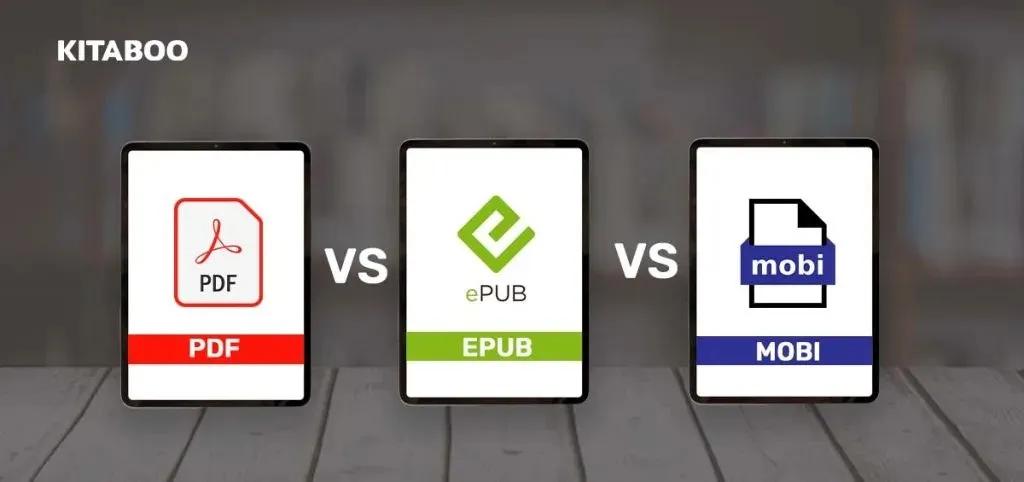
Trying to pick between EPUB, MOBI, and PDF? First things first, MOBI is out of the picture. Amazon discontinued it back in 2022, so the real choice now is between EPUB and PDF. EPUB is the default for almost every use case. It's an open standard, it works on every major platform, and Amazon now accepts it directly on KDP. PDF is still your best bet for complex layouts like textbooks, manuals, or sheet music. MOBI is a legacy format. Amazon pulled the plug on MOBI uploads in 2021 and Send to Kindle followed in late 2022. So if someone tells you to use MOBI, they're a few years behind.
Quick Comparison Table: EPUB vs MOBI vs PDF
| Feature | EPUB | MOBI | |
|---|---|---|---|
| Layout | Reflowable (fixed-layout option available) | Reflowable | Fixed-layout only |
| Text reflow | Yes, adapts to screen size | Yes, but limited formatting | No, stays exactly as designed |
| Accessibility | Strong. EPUB 3 supports ARIA, semantic structure, and MathML | Limited | Possible with tagged PDFs, but requires additional effort |
| Multimedia | Audio, video, and interactivity (EPUB 3) | No | Limited |
| DRM options | Adobe ADEPT, Readium LCP | Amazon proprietary DRM | Adobe DRM, password protection |
| Best for | eBooks, digital publishing, LMS distribution | Nothing (legacy only) | Print-ready documents, illustrated books, internal training |
| Current status | Industry standard, supported everywhere | Discontinued by Amazon (2021–2022) | Widely used for documents, but not ideal for eBooks |
Table of Content
What is EPUB?
EPUB (Electronic Publication) is an open standard maintained by the W3C. It's built on HTML, CSS, and XML, which means it uses the same technology that powers websites. The format is reflowable, so text automatically adjusts to fit whatever screen the reader is using, whether that's a phone, tablet, or desktop. There are two versions worth knowing about. EPUB 2 handled basic text and images. EPUB 3, the current version, added support for audio, video, MathML for equations, JavaScript-based interactivity, and a full set of accessibility features including ARIA attributes and semantic structure. That last part matters if you're publishing for education or need to meet WCAG conformance requirements. EPUB works on Apple Books, Google Play Books, Kobo, Barnes & Noble Nook, and now Amazon Kindle. It's the one format that works everywhere.
What is MOBI? (and why it's effectively dead in 2026)
MOBI started as the Mobipocket format. Amazon acquired Mobipocket in 2005 and used MOBI as the native format for Kindle devices for years. In November 2020, Amazon started recommending EPUB for new KDP uploads. By June 2021, KDP stopped accepting MOBI for reflowable eBooks entirely. Then in late 2022, Amazon dropped MOBI support from its Send to Kindle service. MOBI files that were already uploaded to Kindle libraries still work. You can even sideload them via USB cable if you want. But there's no practical reason to create new MOBI files in 2026. You might still see MOBI files in old libraries or Calibre conversions, but nobody's creating new ones anymore.
What is PDF?
PDF (Portable Document Format) is a fixed-layout format standardized under ISO 32000. What you design is exactly what the reader sees, on every device, every time. PDFs don't reflow text. An A4 PDF on a phone means constant pinching and zooming, which makes it a poor choice for reading on smaller screens. PDF still wins when you have complex diagrams and tables, technical manuals, sheet music, magazines, and any document where the spatial arrangement of content matters as much as the words themselves. It's also the easiest option for internal training docs and corporate materials meant for laptops or print. PDFs can be made accessible with tagged structure, alt text, and reading order metadata. But it requires deliberate effort. Most PDFs in the wild are not accessible.
EPUB vs MOBI vs PDF: the deeper comparison
Reflowable vs fixed-layout
Reflowable formats like EPUB and (old) MOBI adjust to fit the screen. Fixed-layout formats like PDF keep everything exactly where you placed it. That difference drives most format decisions. If your content is primarily text, reflowable is almost always the better choice. Readers can adjust font size, switch between portrait and landscape, and read comfortably on any device. If your content depends on precise positioning, such as a chemistry textbook with inline molecular diagrams, fixed-layout makes more sense.
Device and marketplace compatibility
EPUB is accepted by Apple Books, Google Play Books, Kobo, Barnes & Noble, and Amazon KDP. Amazon was the last platform holding out for MOBI. Now they accept EPUB, so one file works everywhere. PDF opens on literally any device with a screen. Every browser, every OS, every reader app. The tradeoff is the reading experience on small screens. MOBI only works on older Kindle devices and apps. Amazon no longer accepts new MOBI uploads, and the format isn't supported by any other major platform.
Accessibility
EPUB 3 is the clear choice here. It supports ARIA attributes for screen readers, semantic document structure, MathML for accessible math notation, and metadata. If you're publishing educational content or need to meet accessibility standards, EPUB 3 is the format designed for it. PDF can be made accessible, but it's a manual process. You'd need to manually add tags, reading order, and alt text. Most organizations skip this, so most PDFs aren't actually accessible. MOBI had minimal accessibility support. It is not relevant anymore.
DRM and security
All three formats support DRM, though the mechanisms differ. EPUB uses Adobe ADEPT or the newer Readium LCP. PDF uses Adobe DRM or simple password protection. MOBI used Amazon's proprietary DRM system, which still applies to older files in Kindle libraries. For publishers who need content protection, EPUB with Readium LCP or a platform-level DRM solution (like Kitaboo's DRM) is the current standard.
Which format should you use?
Here's how to decide: Selling on Amazon: Upload an EPUB. Amazon converts it to AZW3/KFX on their end. You don't need to worry about Kindle-specific formats anymore. Selling on Apple Books, Google Play, or Kobo: EPUB. It's the only format they accept for eBooks. Publishing a textbook or illustrated book with complex layouts: Use fixed-layout EPUB if you need it to work on eReaders and tablets. Use PDF if it's mainly for desktop or print. Distributing internal training materials or corporate documents: PDF is still the simplest option. Everyone can open it, nobody needs a special app. Publishing educational content across an LMS: EPUB 3. The accessibility features, reflowable layout, and multimedia support make it the strongest choice for learning platforms.
What about AZW3 and KFX?
AZW3 (also called KF8) is Amazon's format that replaced MOBI internally. It's based on EPUB technology but wrapped in Amazon's proprietary container. KFX is the newer format that Kindle devices actually use for rendering, with support for enhanced typesetting and layout features. You don't need to create either of these yourself. When you upload an EPUB to KDP, Amazon handles the conversion to whatever format the reader's device needs. Both are generated automatically when you upload an EPUB to KDP.
How to convert between EPUB, MOBI, and PDF
If you have content in one format and need it in another, a few tools can help. Calibre is the most popular free option. It handles conversions between EPUB, MOBI, PDF, and dozens of other formats. The results are good for simple text-heavy books, though complex layouts can get messy in conversion. Adobe Acrobat can export PDFs to other formats, though the output often needs cleanup. For publishers who need to convert fixed-layout PDFs into reflowable EPUBs at scale, Kitaboo's conversion tool handles this without the manual formatting cleanup that Calibre would require.